ChatGPT hairstyle advice: a prompt for your next haircut
Use ChatGPT to organise a haircut conversation: describe what you want, ask for three options with reasons and maintenance trade-offs, then turn the shortlist into questions for your stylist.
The prompt below also asks the assistant to state uncertainty. If you generate images, check the face and hair against the original; we have not established that ChatGPT or a dedicated app produces more accurate previews.
Publisher disclosure. This guide is written by the makers of HairMatch AI - Haircut Preview, developed by 志欣 何 (He Zhixin). Our official iOS app is App Store ID 6761456212. We have a commercial interest in HairMatch AI; this is not an independent review.
On this page
A prompt for a structured haircut conversation
If image upload is available in your ChatGPT account, attach a clear, front-facing photo in even light. Add your current hair length, natural texture, preferred styling time and any styles you want to keep or avoid. A photo alone cannot reliably establish all of these.
The structure makes the advice easier to check: observations come before a label, each suggestion has a reason, and missing information stays visible. It is a suggested prompt, not the result of a published accuracy test.
Three useful follow-up questions
1. Compare the daily effort
“I have five minutes to style my hair each morning. Compare options 1 and 2 under that constraint, including what you cannot tell from the photo.”
2. Discuss growing it out
“What should I ask my stylist about trims, growth and how each option could change over six weeks?”
3. Prepare a concrete brief
“Write a short brief covering length, layers, fringe, parting, styling time and the features I want to keep. Separate my preferences from your assumptions.”
How to judge advice and image previews
If image editing is available, you can ask ChatGPT to change only the hairstyle while retaining the face, expression, pose and lighting. Check the result against the original. The same checks apply to a dedicated hairstyle app, including HairMatch AI.
- Identity: did the eyes, nose, jaw, skin or expression change?
- Requested haircut: did the length, fringe, parting and silhouette match your request?
- Hair feasibility: does the result assume more length, density or a different texture than you have?
- Repeatability: if you choose to generate again, does the second result support the same decision? Additional generations may cost money.
- Advice quality: can you trace each recommendation to your stated goals and visible evidence, or is it making unsupported assumptions?
We have not run a controlled comparison of current ChatGPT image editing and HairMatch AI. A dedicated workflow does not by itself establish better image quality or more accurate identity preservation. AI images are visual references; your stylist should check what is achievable.
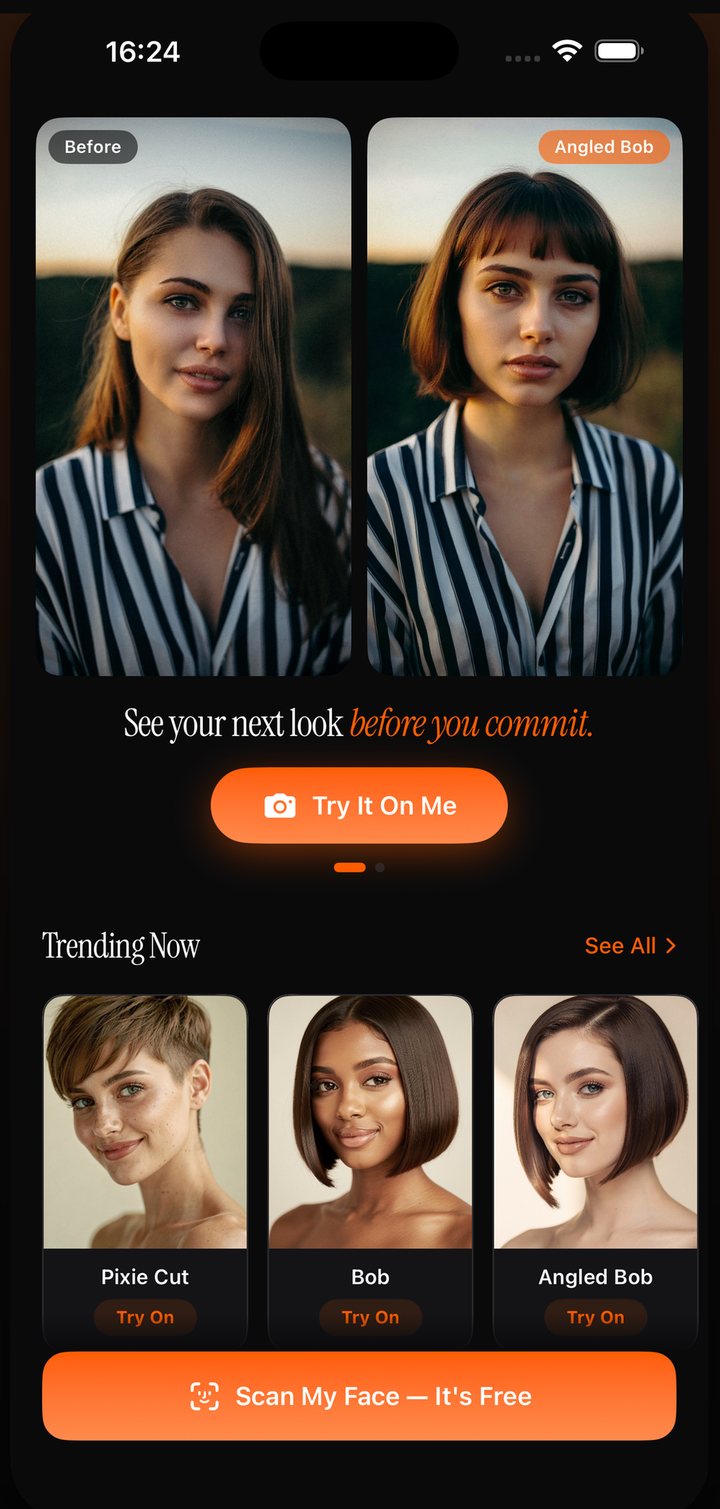
Use the tools to prepare one salon decision
- Make a shortlist. Use the prompt, your own reference photos, or HairMatch AI's first free analysis to identify two or three cuts you want to discuss.
- Preview selected options if helpful. Use the same original photo and a specific haircut description. Check every generated result before relying on it.
- Save the context with the picture. HairMatch AI combines a Top 3 shortlist, reasons, maintenance and readiness notes, and a stylist reference card. These features help organise a consultation; they do not guarantee a salon result.
- Ask your stylist. Bring the original, the AI preview and your routine. Ask what they would adapt to your actual hair.
Prefer to keep the photo offline? Use the mirror method in our salon preparation guide or the approximate proportions in our face-shape guide. Before uploading a face photo to any service, review its current privacy and data controls.
Start with three haircut options
Your first face-shape analysis and Top 3 haircut recommendations are free. AI hairstyle previews generated from your own photo require purchased looks. One-time purchase options are available; check the current in-app offer before paying. See what is free and how looks work.
View HairMatch AI on the App StoreCommon questions
Can ChatGPT tell me what haircut suits me?
It can help discuss possible haircuts when the relevant text or image tools are available. Ask for reasons, state your current length and styling routine, and treat face-shape labels as estimates. A stylist should assess feasibility in person.
Can ChatGPT show me with a different haircut?
If image editing is available in your account, you can request a hairstyle change. Compare the face, hairline, length and texture with your original photo. We have not run a controlled test establishing that it or HairMatch AI is more accurate.
Is this prompt tested for accuracy?
No. It is a structured conversation template, not a benchmark or professional consultation. Its purpose is to make assumptions and trade-offs visible so you and your stylist can check them.
What is free in HairMatch AI?
Your first face-shape analysis and Top 3 haircut recommendations are free. AI hairstyle previews generated from your own photo require purchased looks. One-time purchase options are available; check the current in-app offer before paying.
How should I handle photo privacy?
Review the service’s current privacy policy and account data controls before uploading a face photo. You can also use a mirror, offline reference photos and an in-person consultation without uploading a photo.
Updated: 8 September 2026 (UTC).