What app shows me with a different haircut?
HairMatch AI, Glowify, Hair AI and YouCam Makeup offer hairstyle tools, but start by deciding what you need: help choosing a cut, a picture of a specific cut, or a clear reference for your stylist.
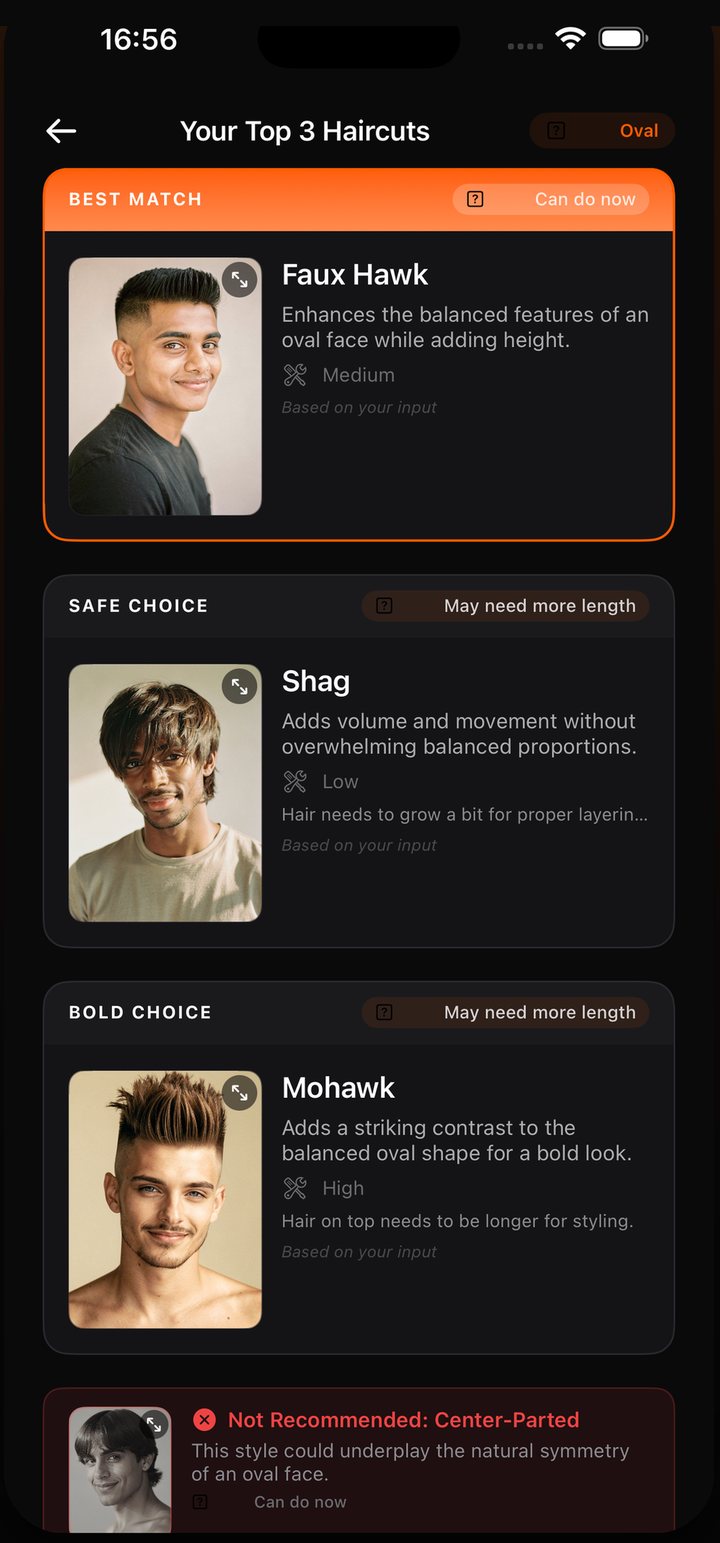
For an iPhone user who has not chosen a cut, HairMatch AI provides a first free analysis and three recommendations with reasons. Generating those haircuts on your own photo requires purchased looks; downloading the app does not include a free personal preview.
Publisher disclosure. This guide is written by the makers of HairMatch AI - Haircut Preview, developed by 志欣 何 (He Zhixin). Our official iOS app is App Store ID 6761456212. We have a commercial interest in HairMatch AI; this is not an independent review.
Three questions before you download
“I do not know what haircut suits me.”
Look for recommendations with reasons, not just a gallery. HairMatch AI offers a first free face-shape analysis and Top 3 shortlist, including maintenance and readiness notes. Glowify also advertises face-shape analysis in its App Store description reviewed on 1 September 2026. Compare how each workflow answers your own priorities.
“I know the cut and want to see it on my photo.”
Check whether the app supports that cut, what a personal generation costs and what you can save. HairMatch AI generates previews using purchased looks. A one-time purchase may suit a single salon visit; see free analysis and paid preview options.
“I want something useful to show my stylist.”
Save the original photo and the preview, with notes on length, parting, daily styling and what you like. HairMatch AI offers a stylist reference card to keep the preview and haircut context together. Ask your stylist to adapt it to your actual hair.
What kind of image does the app make?
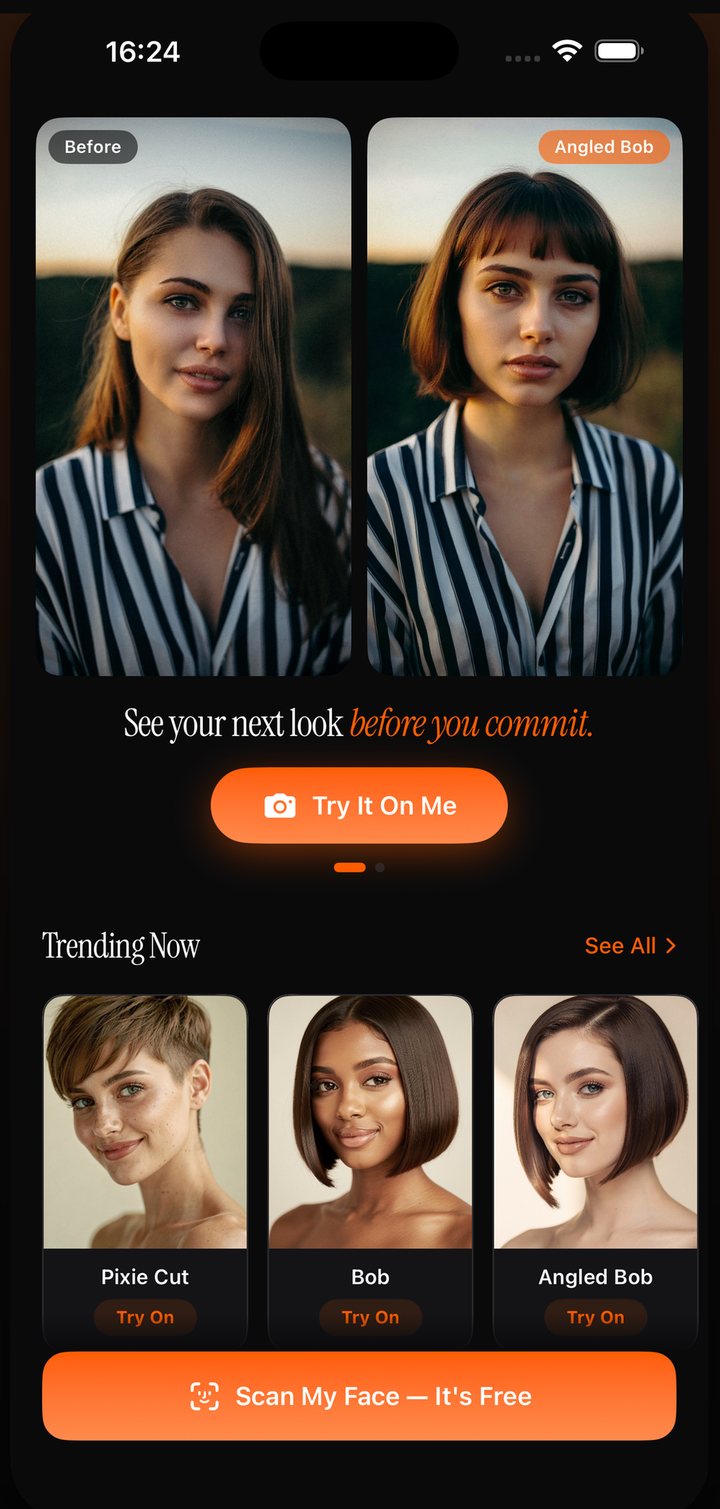
Products can combine several techniques. An overlay places a hairstyle asset on the camera image; generative editing creates a new image based on your photo; a colour tool may recolour the existing hair. The same app may use different approaches for different features, so a single label is not a quality score.
For a cut, check the silhouette, fringe and length against your goal. For colour, remember that lighting, starting colour and salon processing affect the result. For either task, compare the face and hairline with the original: generated images and filters can alter features you did not intend to change.
Apps you can compare
- HairMatch AI: Top 3 recommendations with reasons and upkeep notes, purchased personal previews and a stylist reference card.
- Glowify: its listing reviewed on 1 September 2026 described hair try-on, face-shape and seasonal colour analysis, plus other beauty edits.
- Hair AI: its listing reviewed on that date described cuts, colours and beard styles to explore.
- YouCam Makeup: its listing reviewed on that date described hair tools within a wider beauty editor.
See the four-app comparison for dated sources and rating context. This is a feature overview, not a test of which produces the most accurate result. Check live listings and purchase screens for changes.
Make a preview easier to evaluate
- Take a straight-on, unfiltered photo in even light with the hairline visible.
- Describe one specific cut: length, fringe, parting and desired volume.
- Keep the original beside the result. Check eyes, nose, jaw, skin and expression as well as the hair.
- Ask whether the new style assumes length, texture or density that you do not have.
- Show the checked result to a stylist before treating it as an achievable haircut.
A preview helps you explore an idea; it cannot reliably predict growth patterns, styling effort or a real salon result. Readiness notes can flag questions but cannot replace an in-person assessment. If you would rather start offline, try the mirror test and consultation brief.
Start with three haircut options
Your first face-shape analysis and Top 3 haircut recommendations are free. AI hairstyle previews generated from your own photo require purchased looks. One-time purchase options are available; check the current in-app offer before paying. See what is free and how looks work.
View HairMatch AI on the App StoreCommon questions
Is there a free app that shows me with a different haircut?
Free download and free image generation are different. HairMatch AI provides a first free face-shape analysis and Top 3 shortlist; personal AI previews require purchased looks. We have not verified current free-generation allowances for the other apps on this page.
Can I use HairMatch AI for one haircut without subscribing?
One-time purchase options are available. Check the current in-app offer for the price and included looks before buying. Your first analysis and Top 3 recommendations are free.
How accurate are AI haircut previews?
This guide does not establish an accuracy score. Check facial identity, requested shape and length, and possible changes to texture or density against your original photo. Use the image as a consultation reference and ask your stylist what is achievable.
What should I use if I do not know my face shape?
A face-shape analysis can provide an estimated starting point, but your preferences and hair behaviour also matter. HairMatch AI supplies a Top 3 shortlist with reasons, maintenance and readiness notes. You can also use the approximate measurement method in our face-shape guide.
Can I take an AI preview to my stylist?
Yes. Label it as AI-generated and bring the original photo too. Explain what you like, your current length and your styling routine. HairMatch AI offers a stylist reference card for this conversation.
Updated: 8 September 2026 (UTC).